
Tampa Utilities: Pay Bill, Customer Portal Login, Phone Number and Service Help
Need to pay a City of Tampa utility bill, log in to the customer portal, call the Utilities Call Center, start service or stop service? Start here for the exact official action and the details to keep ready.
City of Tampa Utilities mainly covers water, wastewater and solid waste. Electric and gas are separate non-city utility services, so choosing the right route matters before you pay or request help.
Choose Your Tampa Utilities Task First
Start with your real problem. The correct action is different for payment, account login, high bill, water issue, trash schedule, start service and disconnection.
Official Tampa Utilities Pay Bill and Customer Portal Login
The payment portal is the most important action page for this topic. Use it to pay online, view bills, register online access, set up email bill notifications or start AutoPay after login.
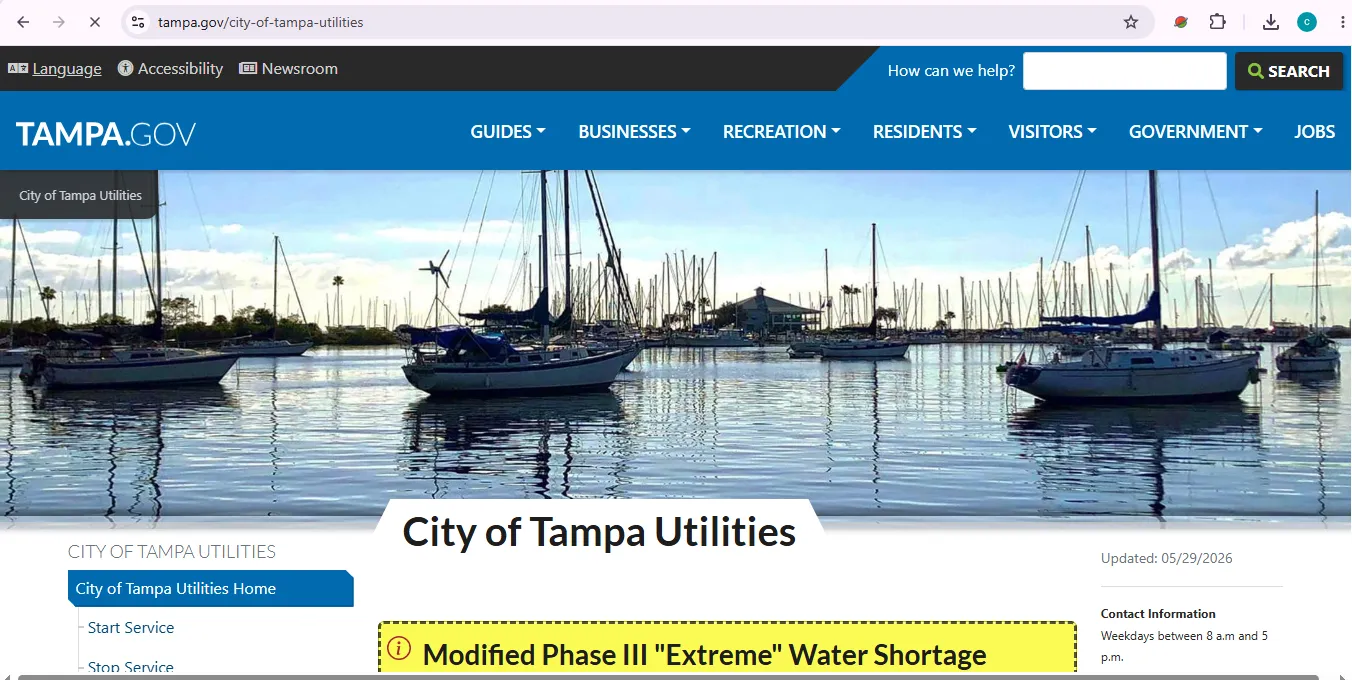
What City of Tampa Utilities Covers and What It Does Not Cover
This is an important user-intent point. Tampa Utilities is not the same as every utility company serving a Tampa address.
| Service | City of Tampa role | What user should do |
|---|---|---|
| Drinking water | City of Tampa provides drinking water to eligible service-area customers. | Use City of Tampa Utilities for billing, service, water outage, water quality and hydrant leak help. |
| Wastewater / sanitary sewer | City of Tampa provides wastewater service in covered areas. | Use City of Tampa for sewer backup, wastewater billing and service concerns when City is your provider. |
| Solid waste | City solid waste is available only in City of Tampa limits south of Fowler Avenue, excluding New Tampa and University areas. | Verify your solid waste provider before using City trash, recycling or yard-waste tools. |
| Electric | Electric is listed as non-city utility service. | Use Tampa Electric for electric account or outage help. |
| Gas | Gas is listed as non-city utility service. | Use Peoples Gas for gas account or emergency questions. |
City of Tampa Utilities Phone Number, Hours and Contact
The Utilities Call Center is the main contact route for billing, starting service, stopping service, water concerns and account help.
Customer Portal Login and Online Registration Steps
To register online access, City guidance says you need your 7-digit account number, account name exactly as shown on the bill and billing ZIP code.
- Open the official portal.
Go to the Customer Self-Service Portal. - Choose registration if new.
Use Online Access Registration if you have not created portal access yet. - Enter your account number.
Use the 7-digit account number found near the top-center area of your bill. - Enter account name exactly.
Residential users should enter last name then first name, such as Jones, Mary. Commercial users should enter the business name. - Enter billing ZIP code.
Use the ZIP code attached to the billing address on your utility account. - Create password and email.
Finish registration, then use the portal to view bills, pay, set bill notifications or manage AutoPay.
How to Pay City of Tampa Utilities Bill
City of Tampa offers several payment options. The best route depends on whether you need fast posting, AutoPay, mail payment, phone payment or cash payment at a payment center.
| Payment option | Best for | What to do after clicking or calling |
|---|---|---|
| Pay online | Viewing bill, one-time card payment, AutoPay setup and account access. | Use Customer Self-Service Portal. Visa, MasterCard, American Express and Discover are accepted with no convenience fee. |
| Pay by phone | Card payment without using the website. | Call 813-274-8811, press 1 when prompted to make payment, enter the 7-digit account number followed by #, then press 1 to provide payment information. |
| Pay by mail | Non-urgent check or money order payment. | Make payable to City of Tampa Utilities and mail to P.O. Box 30191, Tampa, FL 33630-3191. Include account number and service address. |
| AutoPay | Avoiding missed monthly payments. | Enroll online after login, mail the AutoPay form, or call 813-274-8811. Processing may take 4–6 weeks. |
| Amscot | Cash payment in person. | Amscot accepts cash-only utility payments. Additional fees may apply. |
Start or Stop City of Tampa Utility Service
Use the official start/stop pages when moving. Do not depend on the next occupant to take the account out of your name.
Start-service checklist
- Service address and move-in date.
- 7-digit account number if already assigned.
- Account name exactly as it should appear.
- Billing ZIP code and contact phone number.
- Deposit information if required for a new account.
- Provider check if the address has multiple utility providers.
Payment Assistance, Final Notice and Payment Arrangements
If you need more time to get current, act before interruption. City of Tampa says customers can request flexible payment arrangements by calling the Utilities Call Center or logging into the Customer Self-Service Portal.
| Need | Official route | Practical action |
|---|---|---|
| Need more time to pay | Payment Assistance Programs | Call 813-274-8811 or log in to the customer portal to request an extension or monthly payment plan. |
| Received final notice | Utilities Call Center | Call 813-274-8811 to confirm billing details or make arrangements before interruption. |
| CAP assistance | Customer Assistance Program | Qualifying account holders may apply for a program that waives monthly water and wastewater base charges. |
| Senior solid waste discount | Solid Waste Senior Residential Discount | Customers age 65 or older may apply if their solid waste is serviced through the City of Tampa. |
Restore Water Service After Non-Payment
If water service was disconnected due to non-payment, the City gives a specific process. Do not rely on mail payment for fast restoration.
- Pay the overdue balance in full.
Use the Customer Self-Service Portal, phone payment or Amscot cash payment for faster reinstatement options. - Avoid mail for urgent restoration.
Mail payments cannot restore service until the payment is received and posted. - Call to arrange reconnection.
After payment, call 813-274-8811 during regular business hours to arrange for water service to be turned back on. - Turn faucets off.
Make sure all faucets are in the OFF position before the technician arrives. - Plan for timing and fees.
Reinstatement can take up to 24 hours, and the City lists a $45 reconnection fee and $40 unlock fee after disconnection.
High Tampa Utility Bill: What to Check Before Calling
A high City of Tampa utility bill is usually tied to water use change or a leak. Start with meter and leak checks before assuming the bill is wrong.
| Possible reason | What to check | Next action |
|---|---|---|
| Household use changed | Guests, children home from school, pool or hot tub filling, more lawn watering or pressure washing. | Compare the timing with the billing period. |
| Meter reading concern | Current meter reading against the reading shown on your bill. | If current reading is lower than bill reading, call 813-274-8811 to request a re-read. |
| Leak on property | Leaking toilet, dripping faucet, garden hose, spigot, irrigation system or broken pipe. | Repair leak, keep documentation, then review leak adjustment eligibility. |
| Irrigation issue | Sprinkler timer, broken heads, wet spots, sod setup and watering restrictions. | Troubleshoot irrigation and follow current watering rules. |
Leak adjustment documents to keep
- Plumber’s repair bill or written repair explanation.
- Date of repair.
- Receipts for materials if repaired yourself.
- Completed Water/Wastewater Leak Adjustment Request Form.
- Upload through Tampa Connect or fax to 813-274-8358 if submitting adjustment documents.
Water Restrictions, Trash Schedule and Service Alerts
Tampa utility users should also check current water restrictions and solid waste service tools, especially during drought orders, holidays and severe storms.
Common Tampa Utilities Mistakes to Avoid
These mistakes create most billing, login, service and reconnection delays.
- Do not copy payment portal lookalike links from ads or comments.
- Do not forget the exact account-name format during online registration.
- Do not use mail payment when water service was disconnected and you need fast restoration.
- Do not assume City of Tampa Utilities handles Tampa Electric or Peoples Gas accounts.
- Do not stop service late and rely on the next occupant to remove your name.
- Do not ignore a final notice; call 813-274-8811 before service interruption.
- Do not request a leak adjustment without repair documentation.
- Do not leave faucets open before water service is restored or started.
City of Tampa Utilities Map
Use the map for general navigation only. For account-specific billing or service help, use the customer portal or call the Utilities Call Center.
Map is for general City of Tampa navigation help. Always confirm current office access, department routing and service rules on the official City website before visiting.
Tampa Utilities FAQs
How do I pay my City of Tampa Utilities bill online?
Use the official City of Tampa Customer Self-Service Portal. You can view your bill, make a one-time payment, register online access or set up AutoPay from the official utility payment route.
Where is the City of Tampa Utilities login portal?
The official login route is the City of Tampa Customer Self-Service Portal at utilities.tampagov.net, linked from the City of Tampa Utilities and Payment Options pages.
What is the City of Tampa Utilities phone number?
Call the Utilities Call Center at 813-274-8811 for billing, payment, start service, stop service, water outage, water quality, hydrant leak and account questions.
Does City of Tampa charge a convenience fee for online utility payments?
The City of Tampa states that Visa, MasterCard, American Express and Discover are accepted for online and phone utility payments with no convenience fee.
How do I register for Tampa Utilities online access?
Use the online access registration page and enter your 7-digit account number, account name exactly as it appears on the bill and billing ZIP code.
How do I start City of Tampa utility service?
If a water meter already exists, apply online through Tampa Connect or call the Utilities Call Center at 813-274-8811. The City says requests may take up to 5 business days to process.
How do I stop City of Tampa utility service?
Submit a Stop Service request through Tampa Connect or call 813-274-8811. Provide your move-out date and forwarding address so the final bill can be sent correctly.
What should I do if my Tampa utility bill is too high?
Compare your meter reading with the reading on your bill, check for leaks, test toilets and irrigation, then contact the Utilities Call Center if the meter reading or usage looks wrong.
How do I restore City of Tampa water service after non-payment?
Pay the overdue balance in full using an approved faster payment option, then call 813-274-8811 during business hours to arrange reconnection. Reinstatement can take up to 24 hours.
Does City of Tampa Utilities include electric and gas service?
No. City of Tampa Utilities mainly covers water, wastewater and solid waste. The City guide lists electric and gas as non-city utility services through Tampa Electric and Peoples Gas.
Official Source Note
This independent guide summarizes official City of Tampa Utilities pages to help customers reach the right action faster. It cannot accept payments, access accounts, restore service, approve assistance, read your meter, change AutoPay or contact the City on your behalf.
| Official source | Used for |
|---|---|
| City of Tampa Utilities | Main utilities page, service coverage, Pay Your Bill, Start Service, Stop Service, High Bill, Payment Assistance, contact details and service areas. |
| Payment Options | Online payment, phone payment, AutoPay, mail address, Amscot payment, due date and no-convenience-fee card payment details. |
| Customer Self-Service Portal | Customer portal login, online bill payment, account access, one-time payment and AutoPay route. |
| Start Service | Starting water/wastewater service, account number, registration format and service-provider check. |
| Stop Service | Move-out, final bill, stop-service request, forwarding address and separate-provider warning. |
| Restore Services After Disconnection | Overdue balance, reconnection call, 24-hour restoration timing, reconnection/unlock fee and late-fee details. |
| Utility Bill Too High? | Meter comparison, leak causes, toilet/faucet/irrigation checks, leak adjustment documents and high-bill troubleshooting. |
| Payment Assistance Programs | Payment extensions, monthly plans, Customer Assistance Program, senior solid waste discount and additional resources. |
Last checked: July 10, 2026. Official page layouts, payment rules, service areas, phone routing, fees, assistance programs and water restrictions can change. Always follow the latest official instructions after clicking.